

Configuration and Commissioning of PC Cards and Embedded Modules
Hilscher’s configuration toolchain supports the engineering and commissioning of communication hardware, helping you configure embedded modules and PC cards, develop communication-capable devices, and analyze industrial networks.
For netX-based PC cards and embedded modules, the process has three phases and five steps: “Installation,” “Commissioning & Preparation,” and “Configuration.”

Step 4 – Configure Hilscher master, slave or industrial network: Complete the network and device configuration in Communication Studio; for IoT networks, use the IoT Configurator plug-in as well.
Step 5 – Download the configuration file: Once configuration is complete, Communication Studio downloads it to the device.


For more product information or selection support, please contact us.
Hilscher’s configuration toolchain supports the engineering and commissioning of communication hardware, helping you configure embedded modules and PC cards, develop communication-capable devices, and analyze industrial networks.
Overview
PC cards and embedded modules add industrial communication interfaces to automation systems, machines and devices. Before they can communicate over Industrial Ethernet or fieldbus, they must be set up for the application. Which tool to use depends on the hardware, protocol and task.For netX-based PC cards and embedded modules, the process has three phases and five steps: “Installation,” “Commissioning & Preparation,” and “Configuration.”
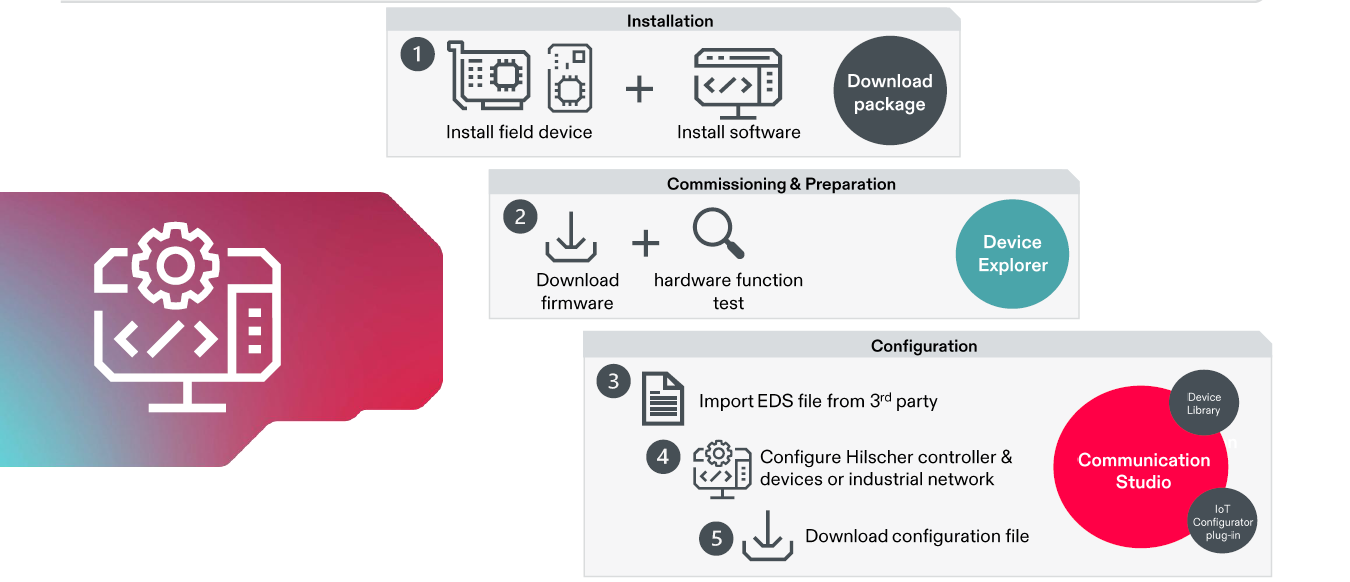
Phase 1: Installation
Step 1 – Install the field device and software: Mount the PC card or embedded module, and install the required software from the Download Package.Phase 2: Commissioning & Preparation
Step 2 – Download firmware and run a hardware function test: Use Device Explorer to load suitable firmware onto the hardware and confirm that it functions correctly.Phase 3: Configuration
Step 3 – Import third-party EDS files: In Communication Studio, use Device Library to import the description files of third-party devices.Step 4 – Configure Hilscher master, slave or industrial network: Complete the network and device configuration in Communication Studio; for IoT networks, use the IoT Configurator plug-in as well.
Step 5 – Download the configuration file: Once configuration is complete, Communication Studio downloads it to the device.
Installing a cifX PC Card
Taking a cifX PC card as an example, the process from hardware installation to connecting the application can be divided into six steps: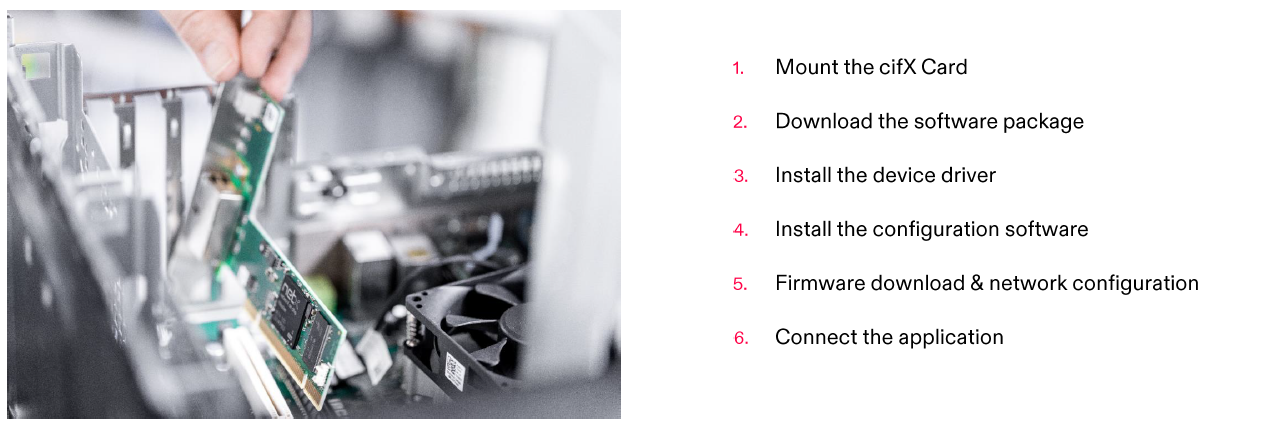
Required Tools at a Glance
When using netX-based PC cards and embedded modules, you need the following tools:| Tool | Purpose |
| Download Package | A software package for installing the configuration tools and preparing the field device. It contains loadable firmware, documentation, configuration tools, drivers and application examples. |
| Device Explorer | Installs firmware and performs hardware function tests. |
| Communication Studio + Device Library | Imports third-party device description files and configures controller networks. |
| IoT Configurator Plug-in | Required for IoT networks (optional). |
Tool Overview
Device Explorer: Getting the Hardware Ready
Device Explorer prepares PC cards and embedded modules for subsequent configuration in Communication Studio.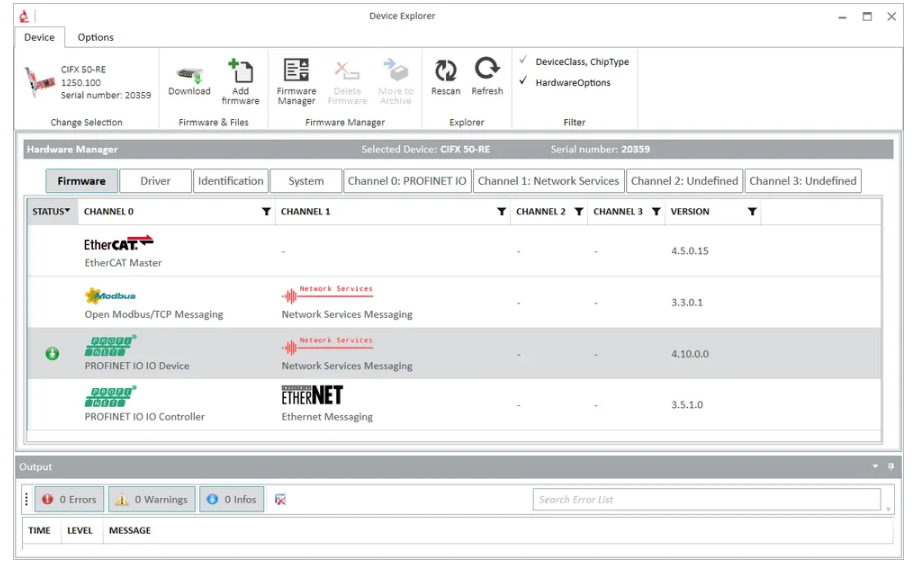
- Provides suitable firmware for the hardware
- Downloads firmware and existing configuration files to the hardware
- Selects the required drivers
- Performs simple device diagnostics
- Intended for: users who manage devices, update firmware and commission Hilscher hardware.
Communication Studio: A Flexible Configuration Framework
Communication Studio is a flexible configuration framework for Hilscher PC cards, embedded modules and industrial communication networks.
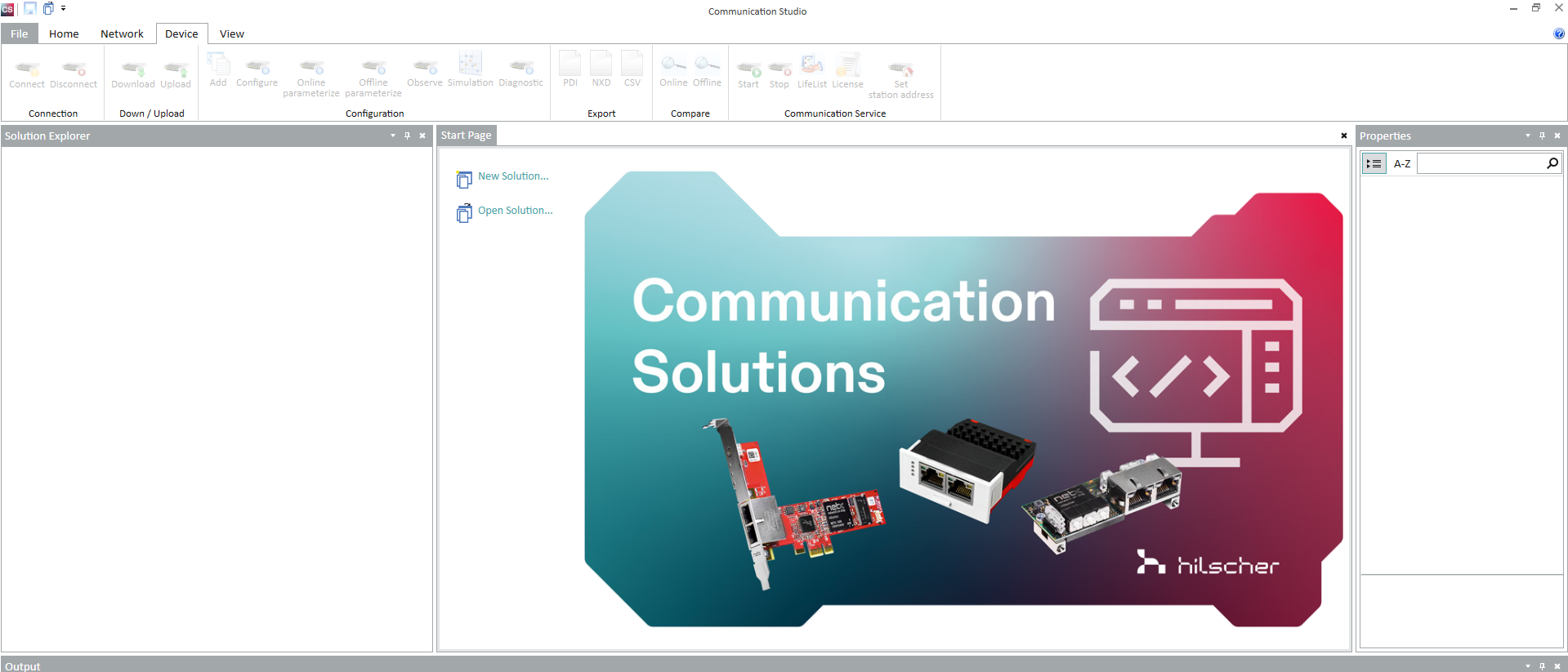
- Manages solutions and projects
Configures controller networks offline and online
Provides basic network diagnostics, including process data monitoring, device diagnostics and troubleshooting
Intended for: users who configure, commission and maintain industrial communication networks.
Device Library: Integrating Third-Party Field Devices
Device Library is the plug-in-based foundation of Communication Studio. It enables the integration of third-party field devices through device description files. Supported protocols include:
| Protocol | Protocol |
| PROFIBUS | PROFINET |
| EtherCAT | EtherNet/IP |
| CC-Link | CC-Link IE Field Basic |
| Modbus TCP | DeviceNet |
| POWERLINK | Sercos |
| CANopen |
IoT Configurator Plug-in: Configuration for IoT Networks
This plug-in extends Communication Studio with protocol-specific configuration for IoT networks.- Configures MQTT brokers and topics
- Configures OPC UA servers and objects
- Validates configurations and runs consistency checks
- Creates graphical data mappings
For more product information or selection support, please contact us.